2023. 9. 4. 02:42ㆍ쿠버네티스/쿠버네티스
vagrant와 virtualbox 우선 각가 기본으로 설치
Vagrant by HashiCorp
Vagrant enables users to create and configure lightweight, reproducible, and portable development environments.
www.vagrantup.com
https://www.virtualbox.org/wiki/Downloads
Downloads – Oracle VM VirtualBox
Download VirtualBox Here you will find links to VirtualBox binaries and its source code. VirtualBox binaries By downloading, you agree to the terms and conditions of the respective license. If you're looking for the latest VirtualBox 6.1 packages, see Virt
www.virtualbox.org
우선 설치가 완료되면
cmd창을 열고 기본 설치 위치인 "C:\HashiCorp"로 이동 후
vagrant init 명령어 입력하면 .vagrant와 Vagranfile이 생성된다.

https://app.vagrantup.com/boxes/search
Vagrant Cloud by HashiCorp
Vagrant Cloud by HashiCorp
app.vagrantup.com
위 사이트 접속하여 "sysnet4admin" 검색

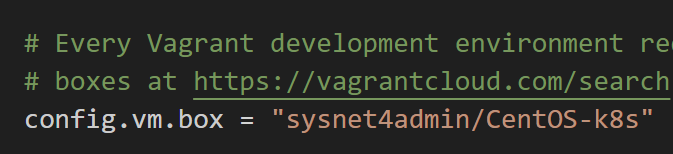
제목 부분인 "sysnet4admin/CentOS-k8s" 복사하여
설치 위치인 C:\HashiCorp으로 가서 "Vagrantfile"파일 오픈하여
config.vm.box = "sysnet4admin/CentOS-k8s" 로 입력 하고
cmd(powershell)에서 "vagrant up"을 입력 해준다.
설치가 완료 되면 virtualbox에 아래와같이 가상머신이 생성 된다.

설치가 완료되면
vagrant ssh로 설치왼 CenoOS에 접속한다.
그리고 실행 시간과 운영 체제의 종류를 확인해본다.
uptime
cat /etc/redhat-release
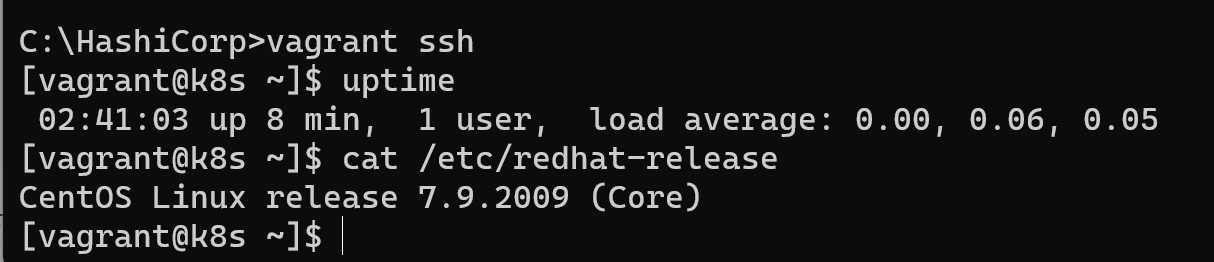
간단하게 설치 및 테스트를 해보았다.
exit 명령어로 가상머신에서 빠저나오고
vagrant destroy -f 로 강제로 머신을 삭제해준다.
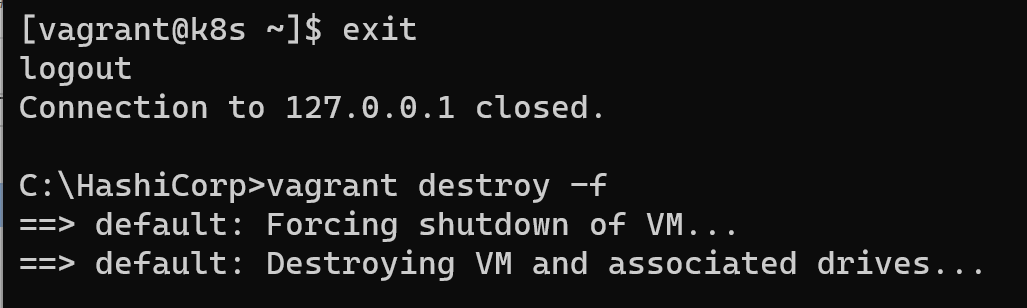
가상머신에서도 사라졌다.

'쿠버네티스 > 쿠버네티스' 카테고리의 다른 글
| kubectl 실습 (1) | 2023.09.10 |
|---|---|
| 마스터 노드 (0) | 2023.09.04 |
| 컨테이너를 다루는 표준 아키텍처, 쿠버네티스 (0) | 2023.09.04 |
| putty와 슈퍼 putty (0) | 2023.09.04 |
| 베이그런트로 테스트 환경 구축하기 (0) | 2023.09.04 |